Launch offer · one-time purchase
Seven Excel files that do the repeat work.
Seven Excel templates for the work most office jobs repeat every week. Type in the pale yellow cells; everything grey fills in by itself.
The 9-to-5 Excel Kit
One-time payment · Instant download
7 tools · 7 videos · 14 guides · 3 bonuses
Pay securely with GumroadCode NINETOFIVE is applied for you · Excel on Windows or Mac
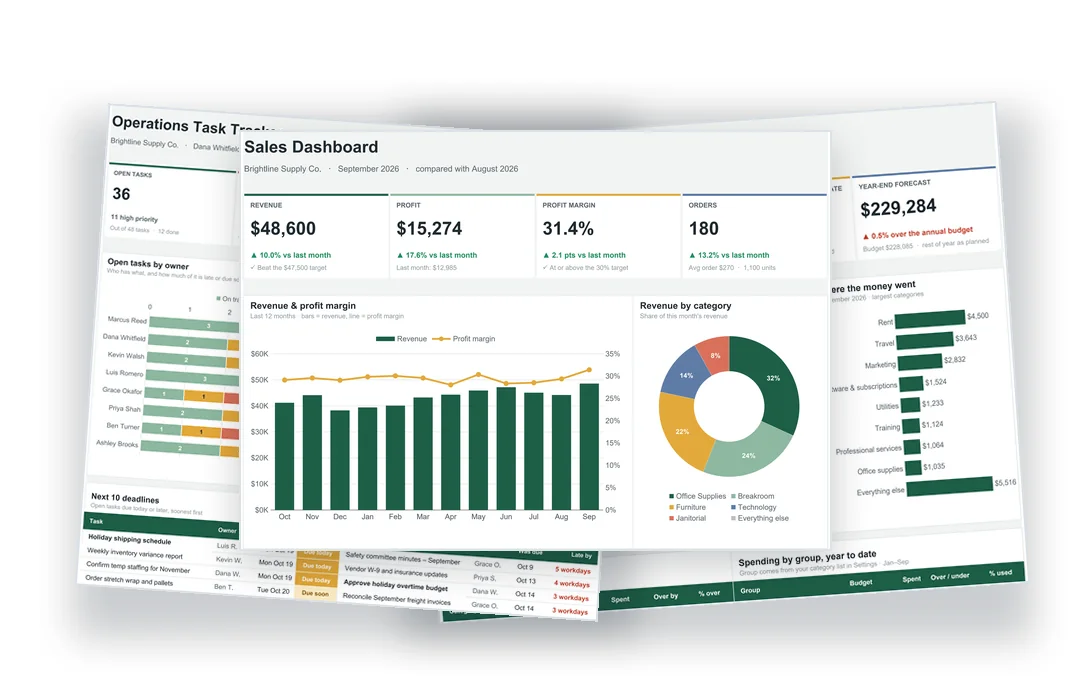
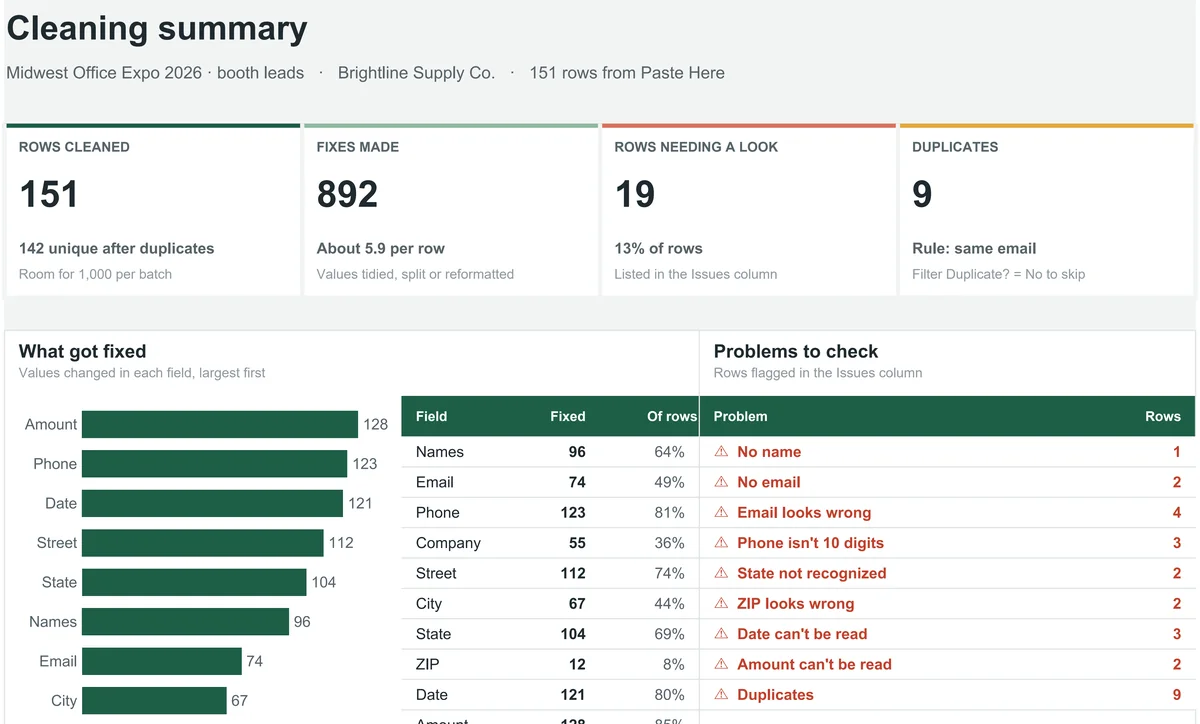
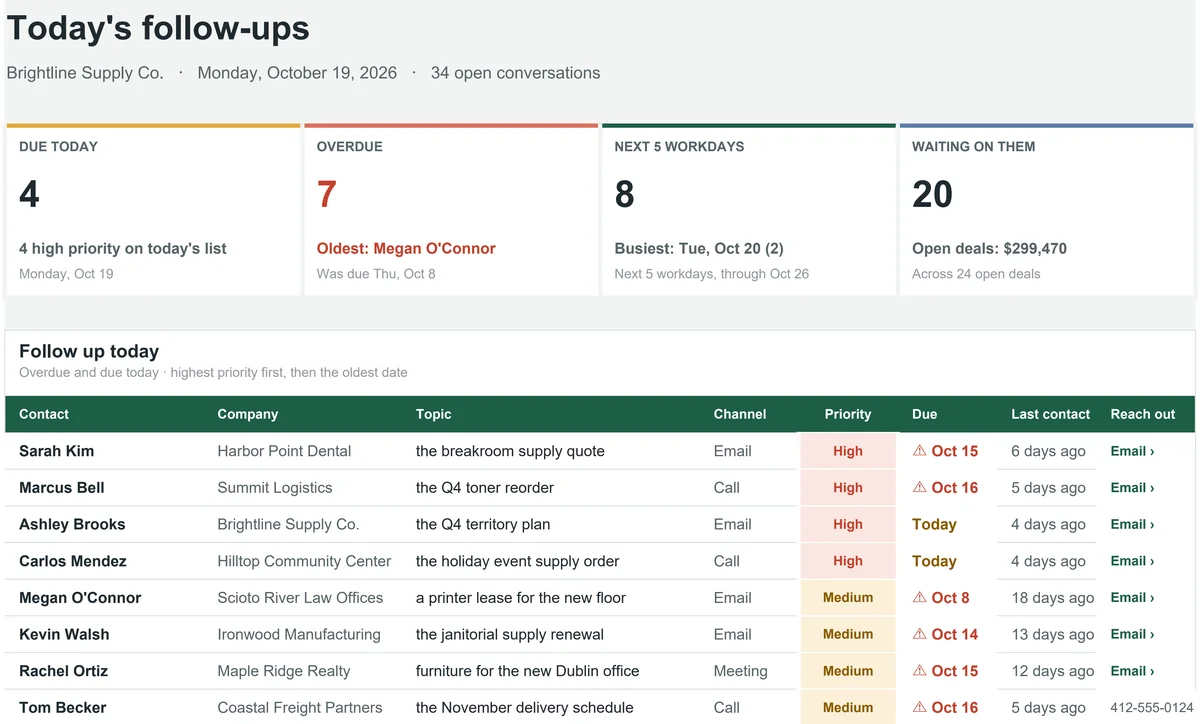
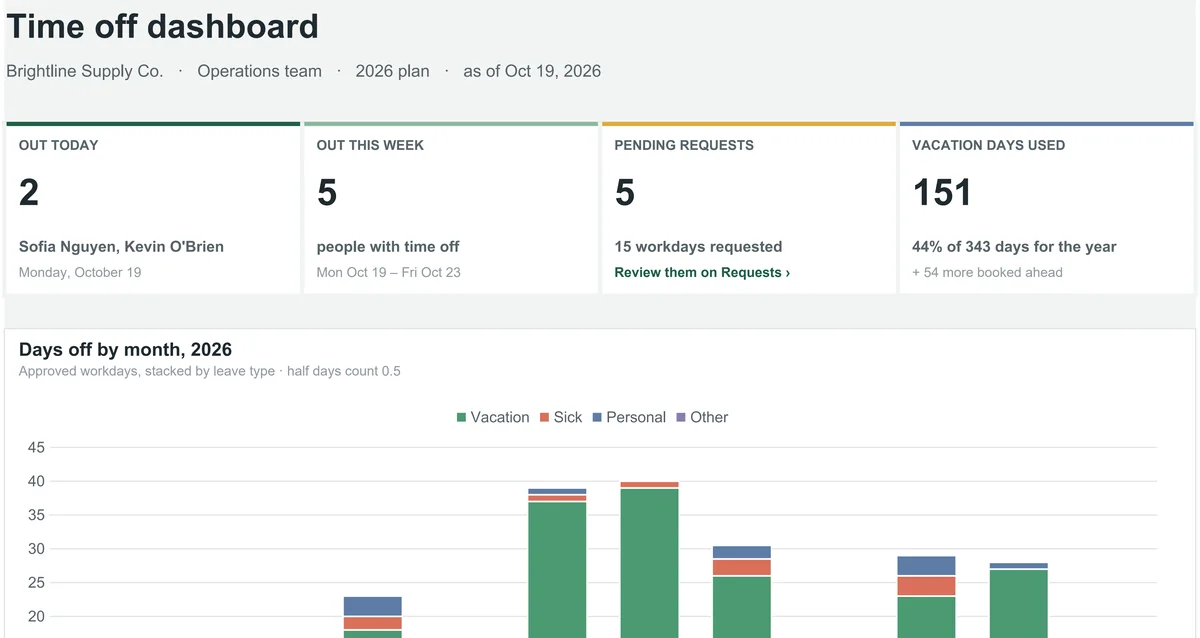
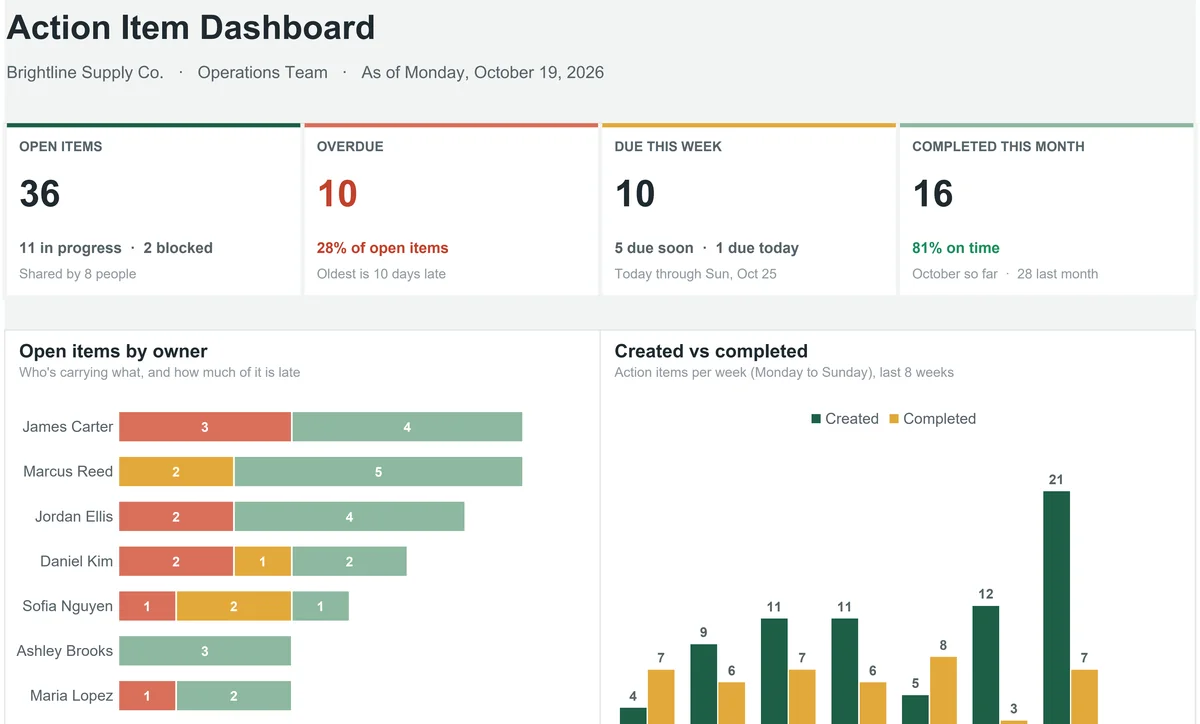
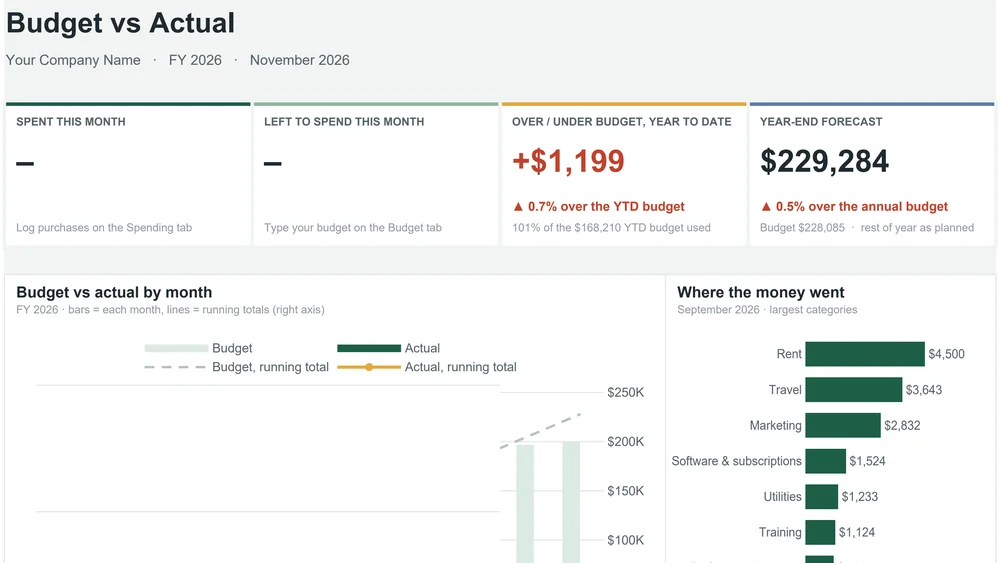
Look inside every dashboard
These are the real main screens from the Example files, exactly as you'll get them. Pick a tool to see its dashboard.
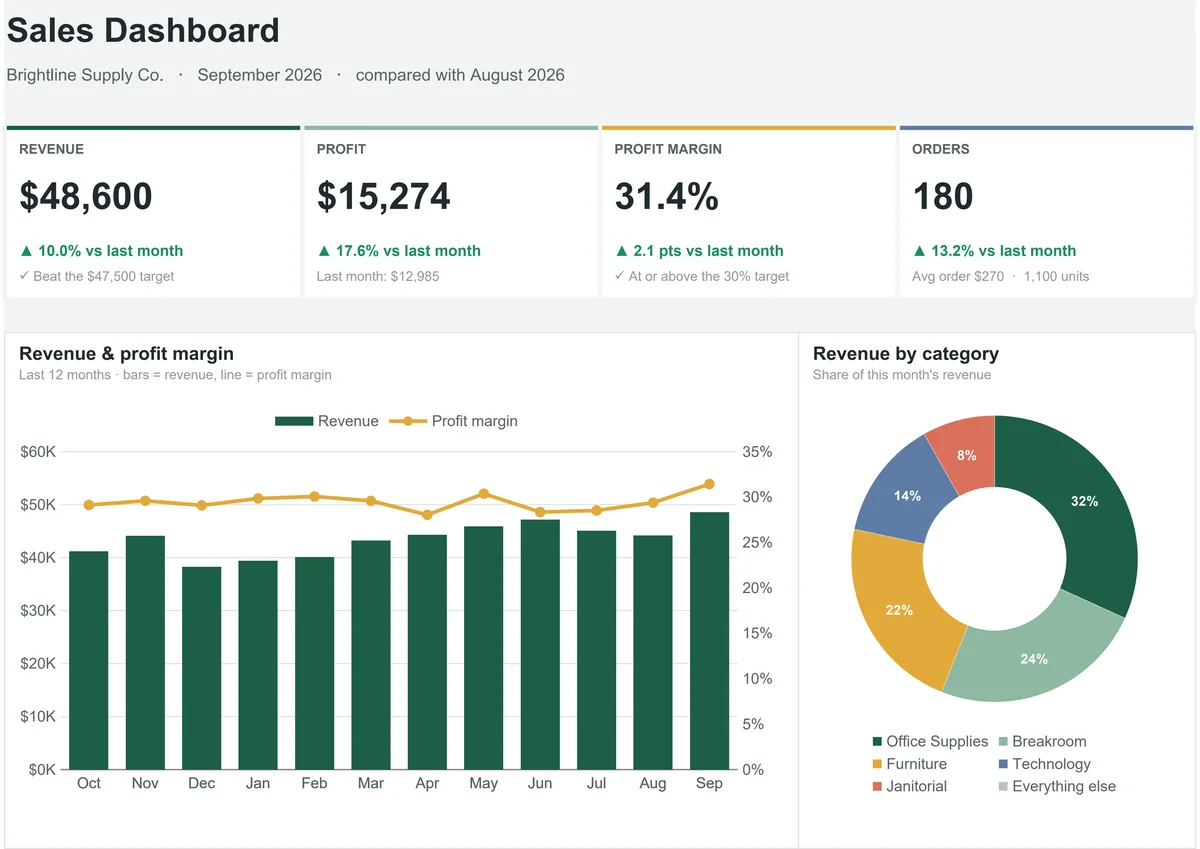
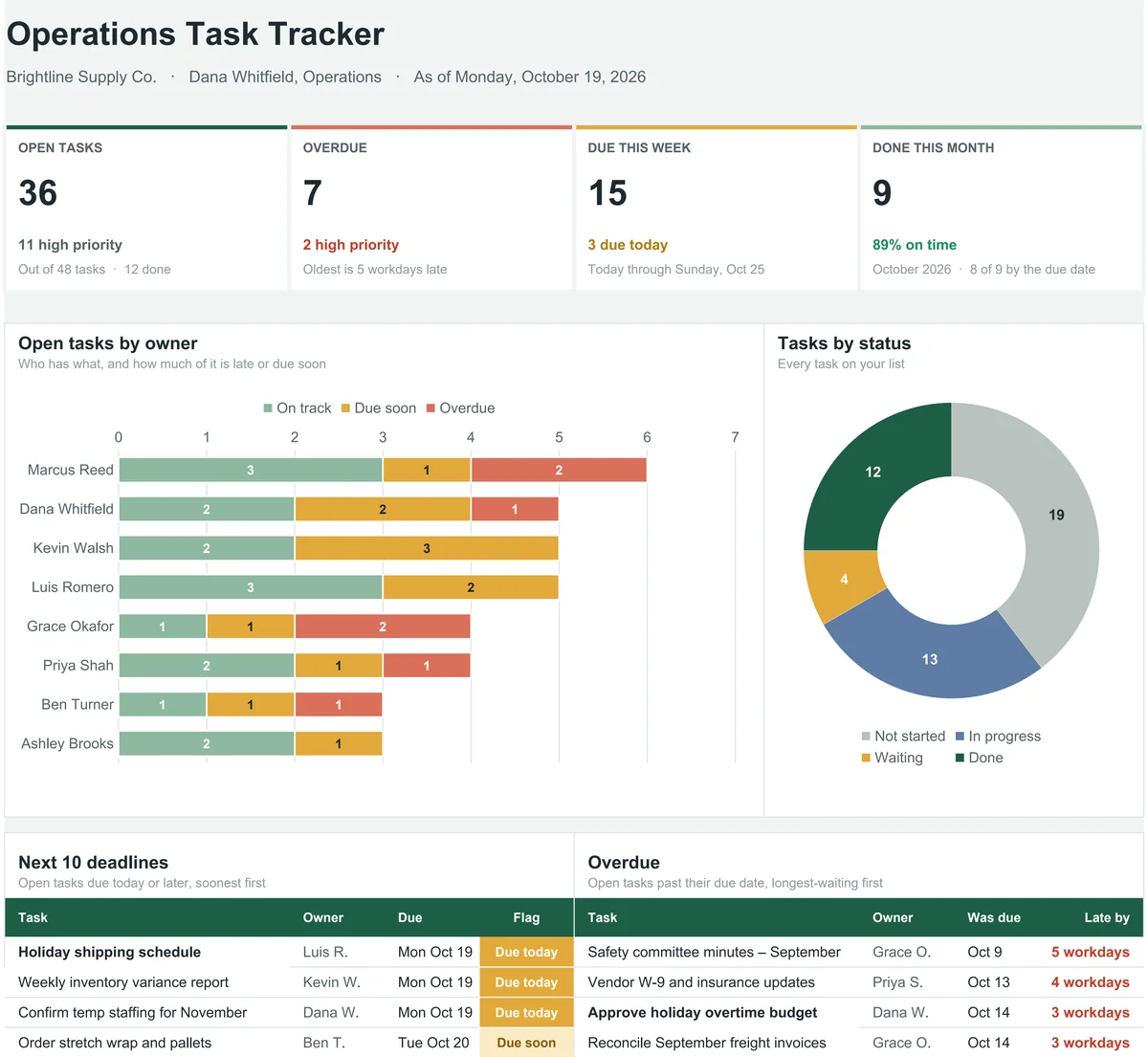
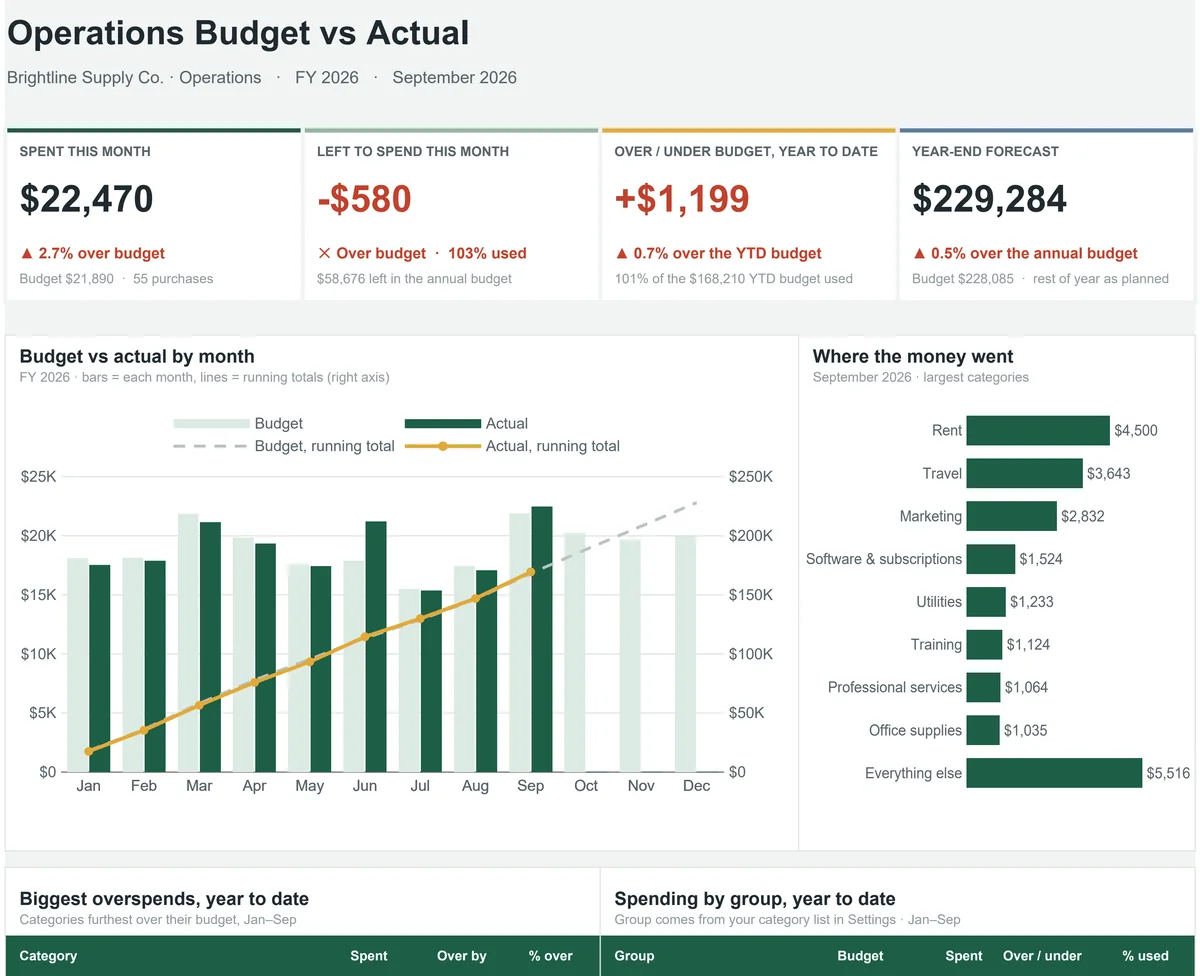
One tool for each job you repeat.
7 tools, each with an Example to learn on and a Blank for your real work.
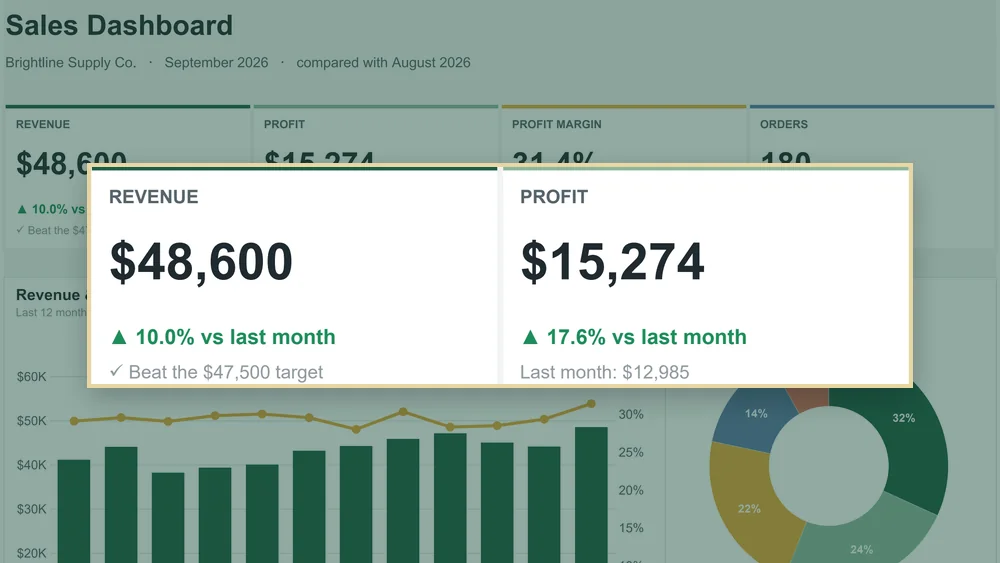
01Monthly Report & KPI Dashboard
A dashboard and a one-page manager report that write themselves.
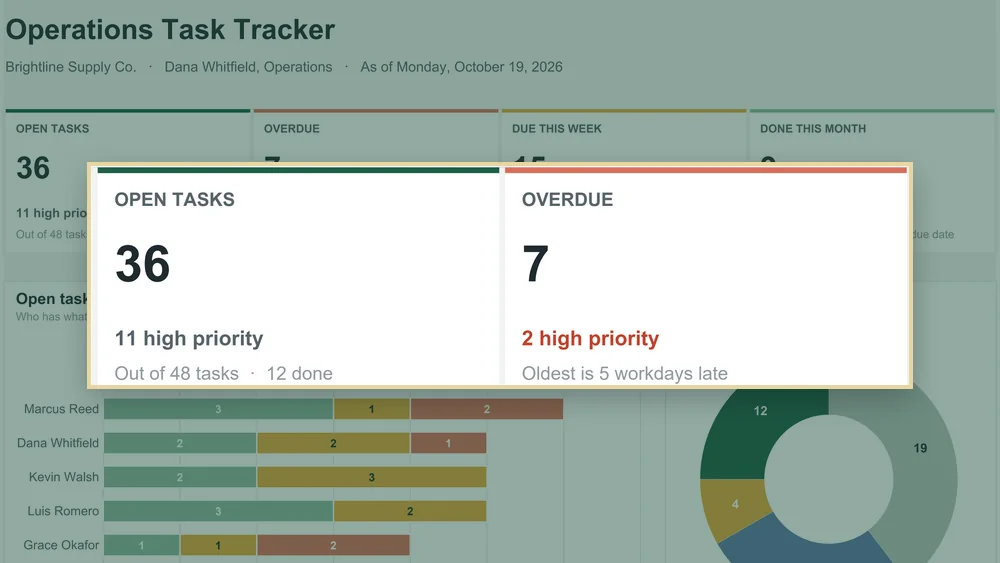
02Task & Deadline Tracker
Every task flagged overdue, due soon or on track, counted in workdays.
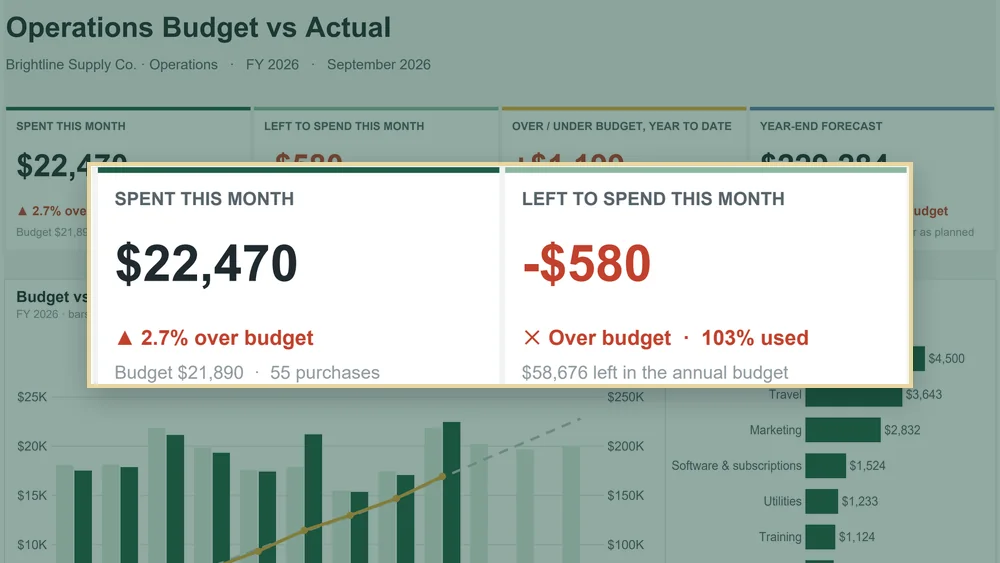
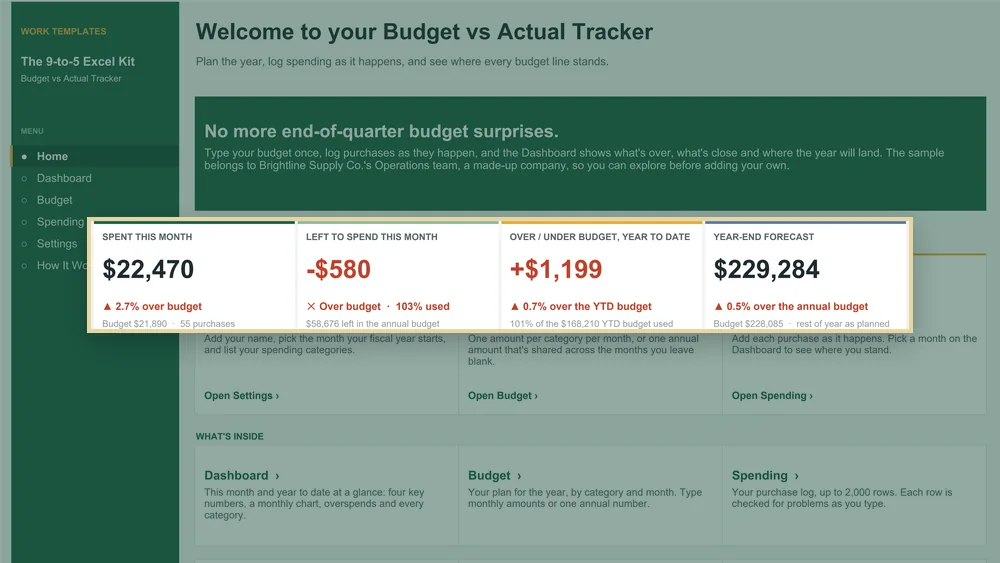
03Budget vs Actual Tracker
Every category marked under, near limit or over, plus a year-end forecast.
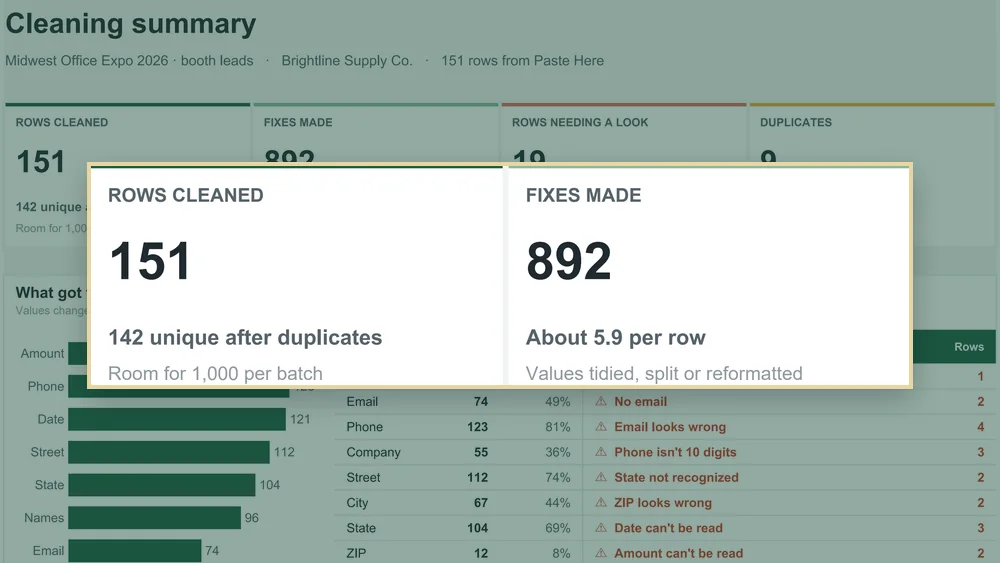
04Messy Data Cleaner
A clean, consistent list with duplicates and problems flagged.
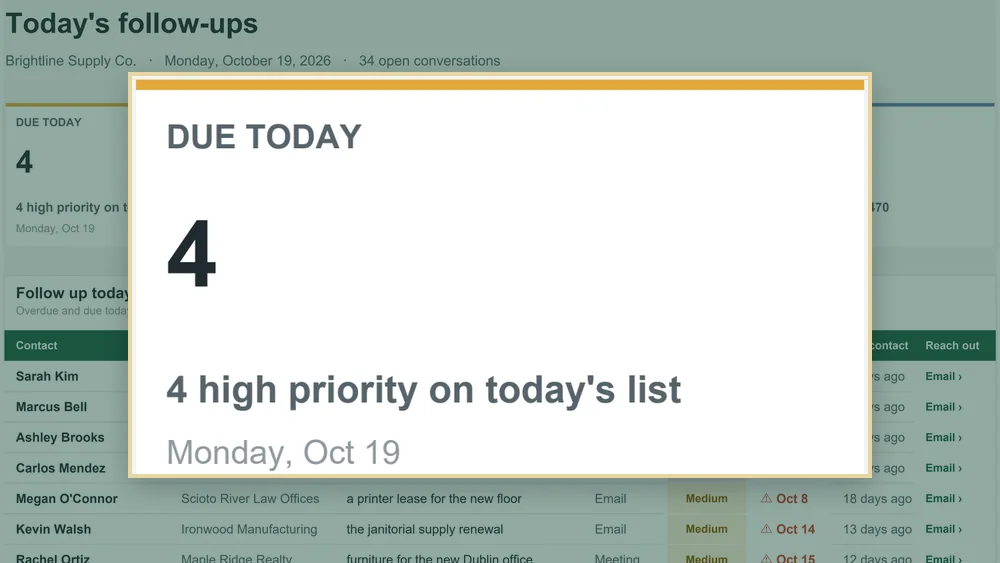
05Follow-Up Tracker
A daily list of who to contact, and an email that writes itself.
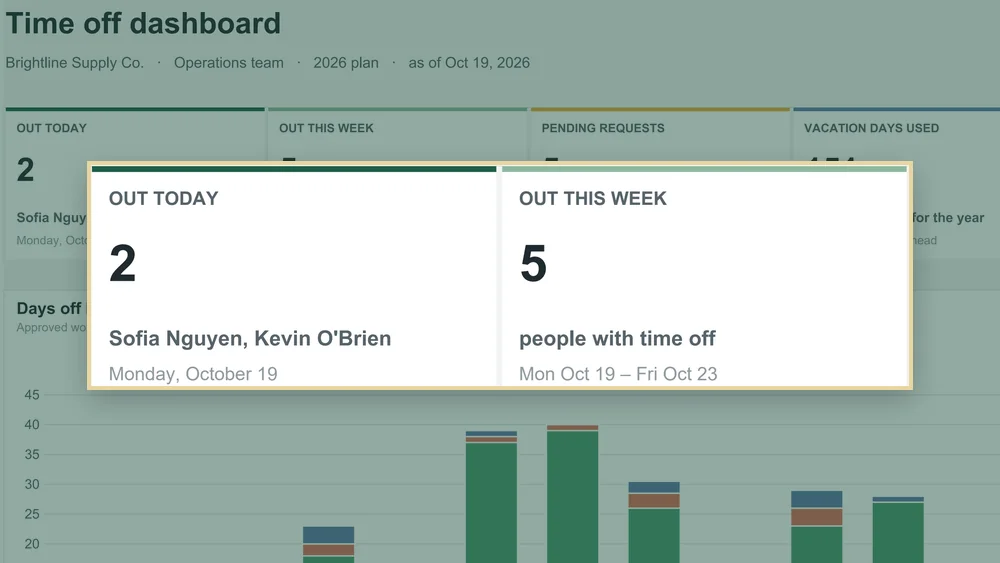
06Team PTO & Holiday Planner
A color-coded team calendar, coverage alerts and live balances.
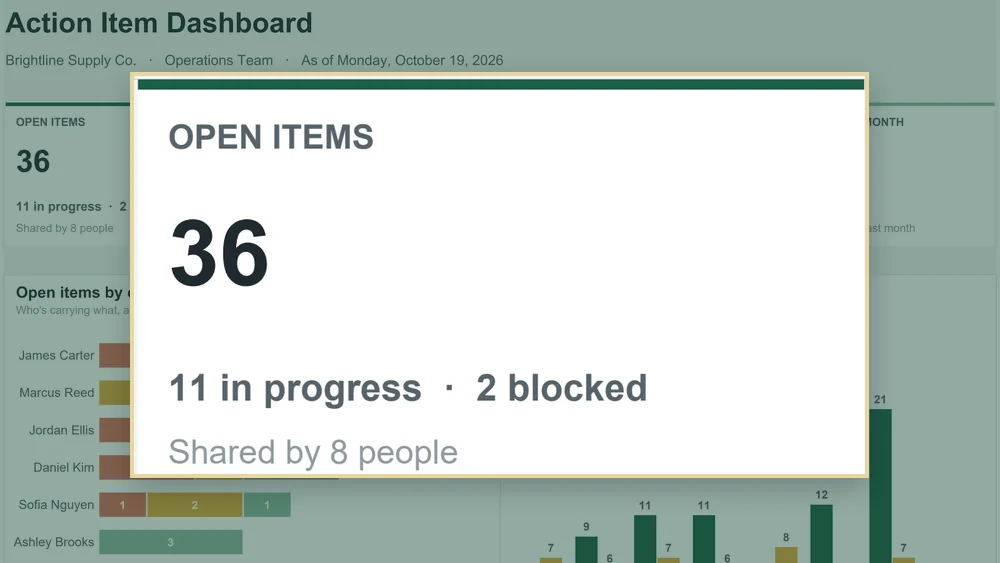
07Meeting Action Item Log
Every action item with an owner and a date, plus a recap ready to send.
+The same shape every time
Every file has the same layout, so once you learn one you know them all.
+Learn on the Example
Each tool comes twice: an Example to learn on and a Blank for your real work.
Never stuck on how to use it
Every tool comes with its own video, manual and AI guide.
 AI guide · PDF
Adapt it with AI.
Copy-ready prompts for Claude, ChatGPT or Copilot to change a tool for your job.
Watch a short video.
A voiced walkthrough of each file, end to end.
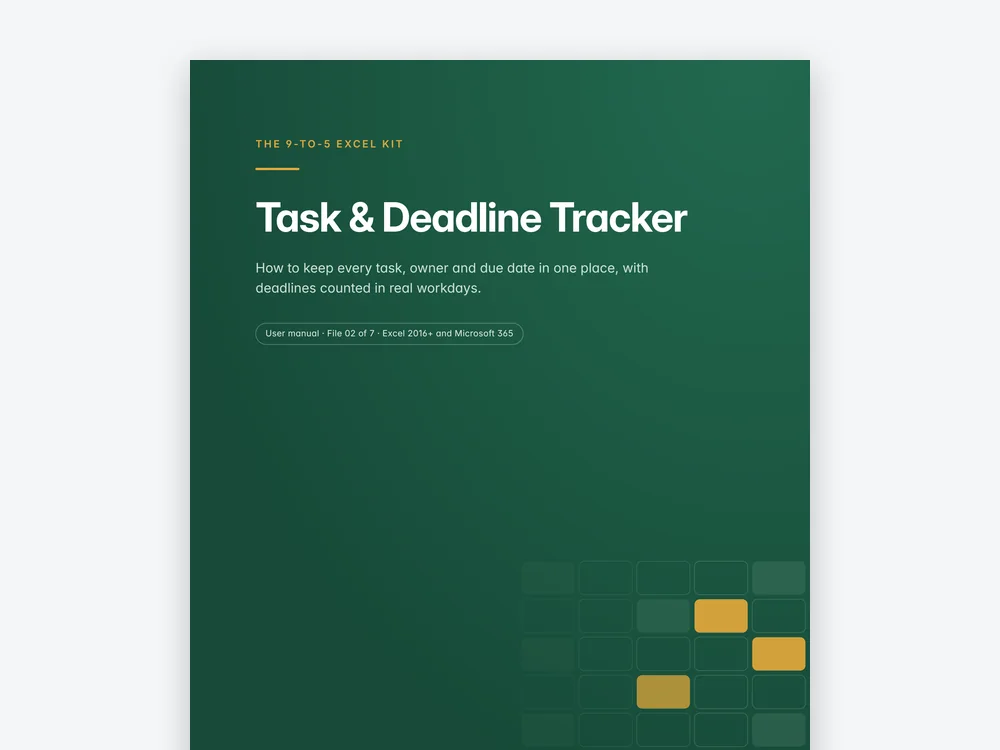 User manual · PDF
Follow the manual.
Every tab, what to type and what fills in by itself, and a short FAQ.
Plus 3 bonus guides
Useful far beyond this kit. Print the last two and keep them by your keyboard.
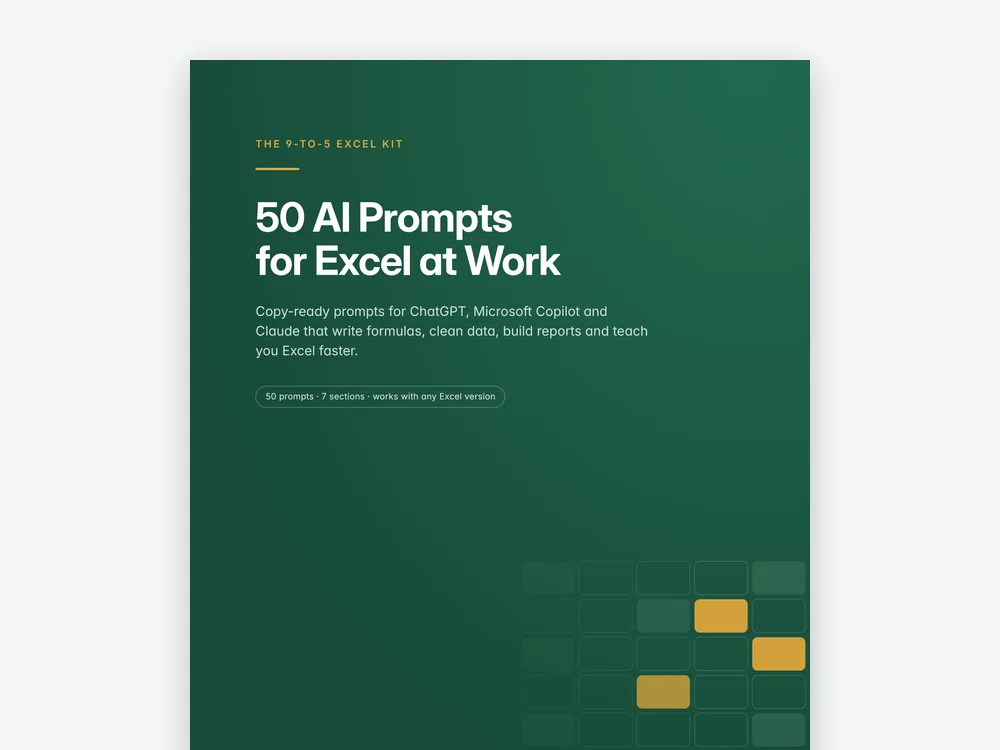
50 AI Prompts for Excel.
Ready-to-use prompts for Excel at work.
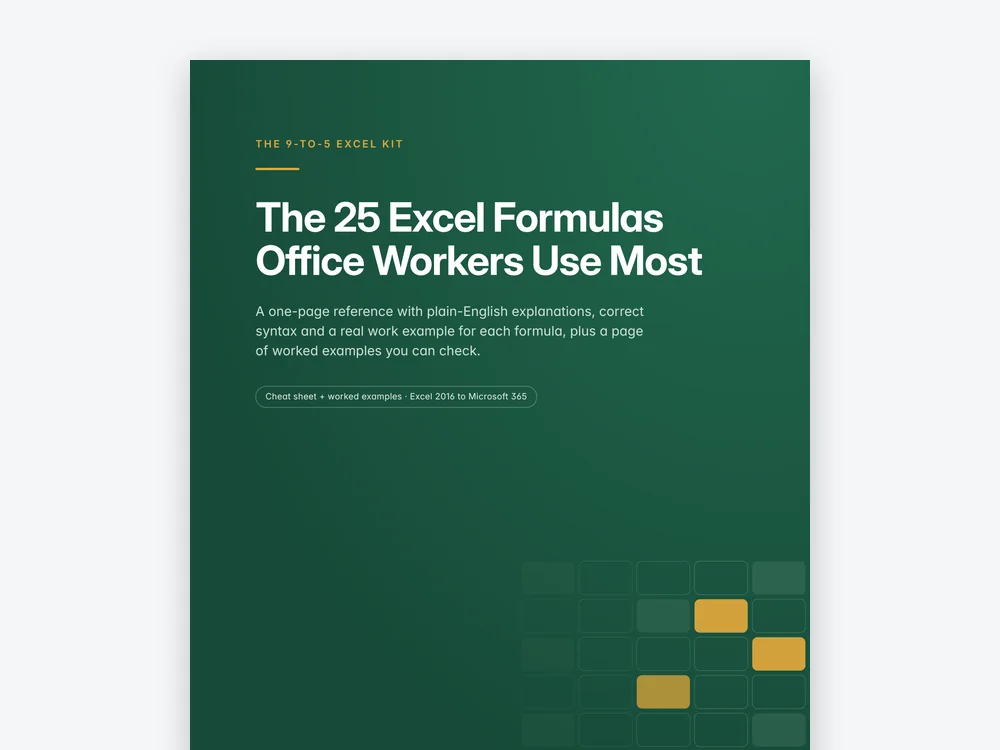
The 25 formulas office workers use most.
A one-page reference with plain-English examples.
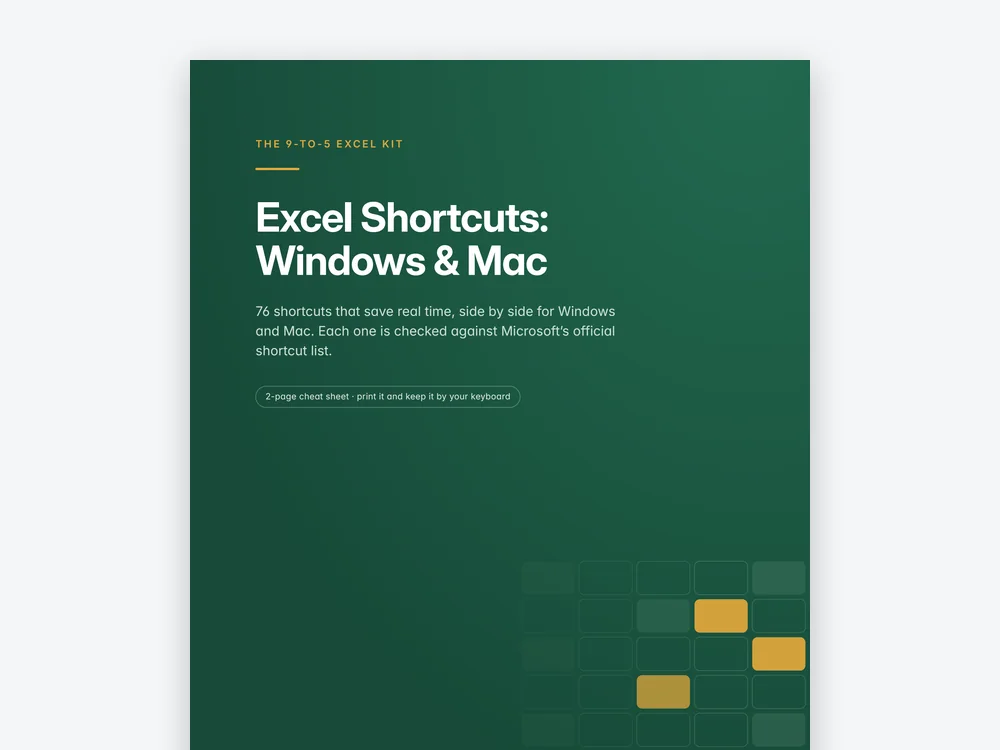
Excel shortcuts, Windows and Mac.
Side by side, on a sheet you can print.
Made to use at work
Nothing to install, and nothing your IT team will block.
- Works in Excel 2016 or newer, and Microsoft 365
- Windows or Mac
- No macros, so nothing is blocked by your IT policy
- Sheets protected without a password, so a stray keystroke can't break a formula
- A data health check tells you what to fix in plain English
- Rename the key terms on Settings, and every header follows
- US date and dollar formats
- Not for Google Sheets or Apple Numbers
A few things to know.
What exactly am I buying?
14 Excel workbooks (an Example and a Blank of each tool), 7 user manuals, 7 Customize with AI guides, 7 voiced video walkthroughs, 3 bonus PDFs and a Start Here guide.
Do I need to know formulas?
No. You type in the pale yellow cells; everything grey fills in by itself.
Can I change it for my job?
Yes. Rename terms on Settings, edit every list, and use the Customize with AI guide for bigger changes.
Which version of Excel do I need?
Excel 2016 or newer, or Microsoft 365, on Windows or Mac. No macros.
Does it work in Google Sheets?
No. Dropdowns, charts and formatting don't survive the trip.
Where do I start?
With the Task & Deadline Tracker. It takes about ten minutes to set up, and it shows you how every file in the kit works.
Is it a recurring charge?
No. It's a one-time payment.
What if it isn't useful for me?
You can ask for a refund within 30 days, no questions asked. Write to khanrihat716@gmail.com or reply to your receipt.
Launch offer · Save 26%
Your first step.
Open the Task & Deadline Tracker Example tonight. Ten minutes, and you'll know how every file in the kit works.
Get the kit for- One-time payment
- Instant download
- 30‑day money-back guarantee