Launch offer · one-time purchase
Every dollar of the estate. Balanced.
The Executor Workbook keeps the estate's books in one file and turns them into a one-page accounting your family can follow.
The Executor Workbook
One-time payment · Instant download
24 files · 21 tabs · 10 letters · 5 guides
Pay securely with GumroadCode LAUNCH is applied for you · Excel or Google Sheets
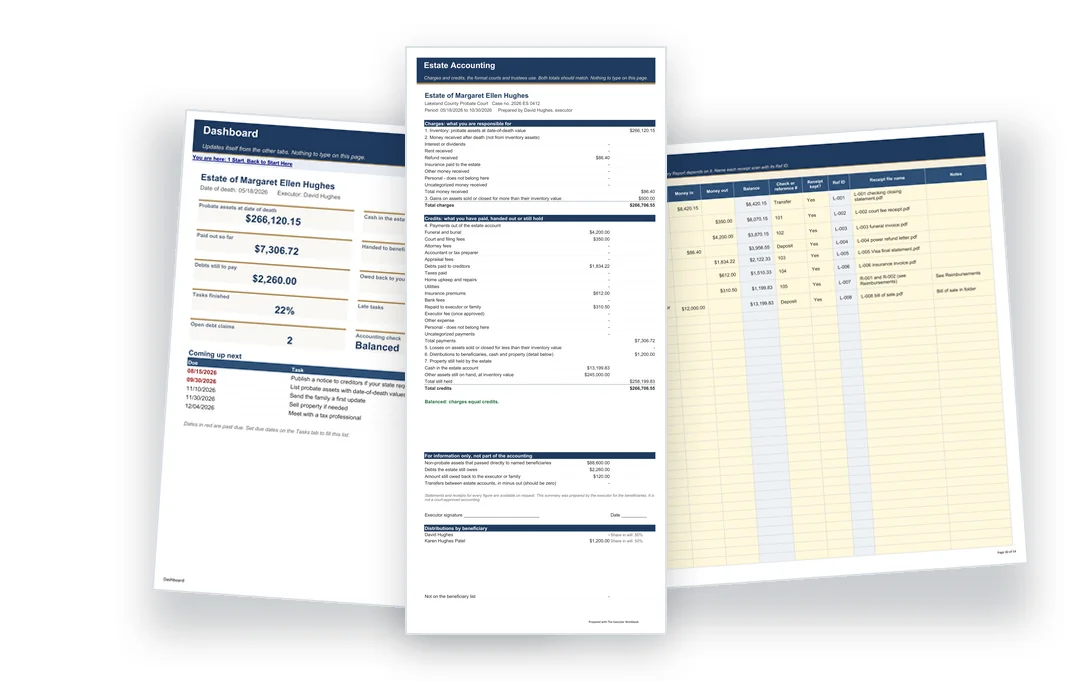
Look inside every page
These are real pages from the filled sample estate, exactly as you'll get them. Pick one to see it.
What the workbook does for you.
Type each payment once. The workbook does the adding up.
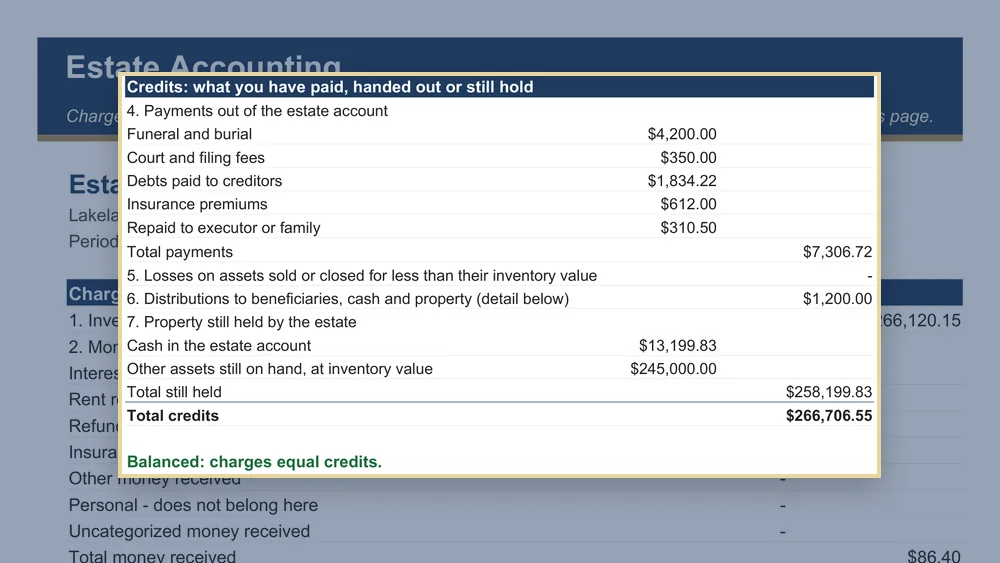
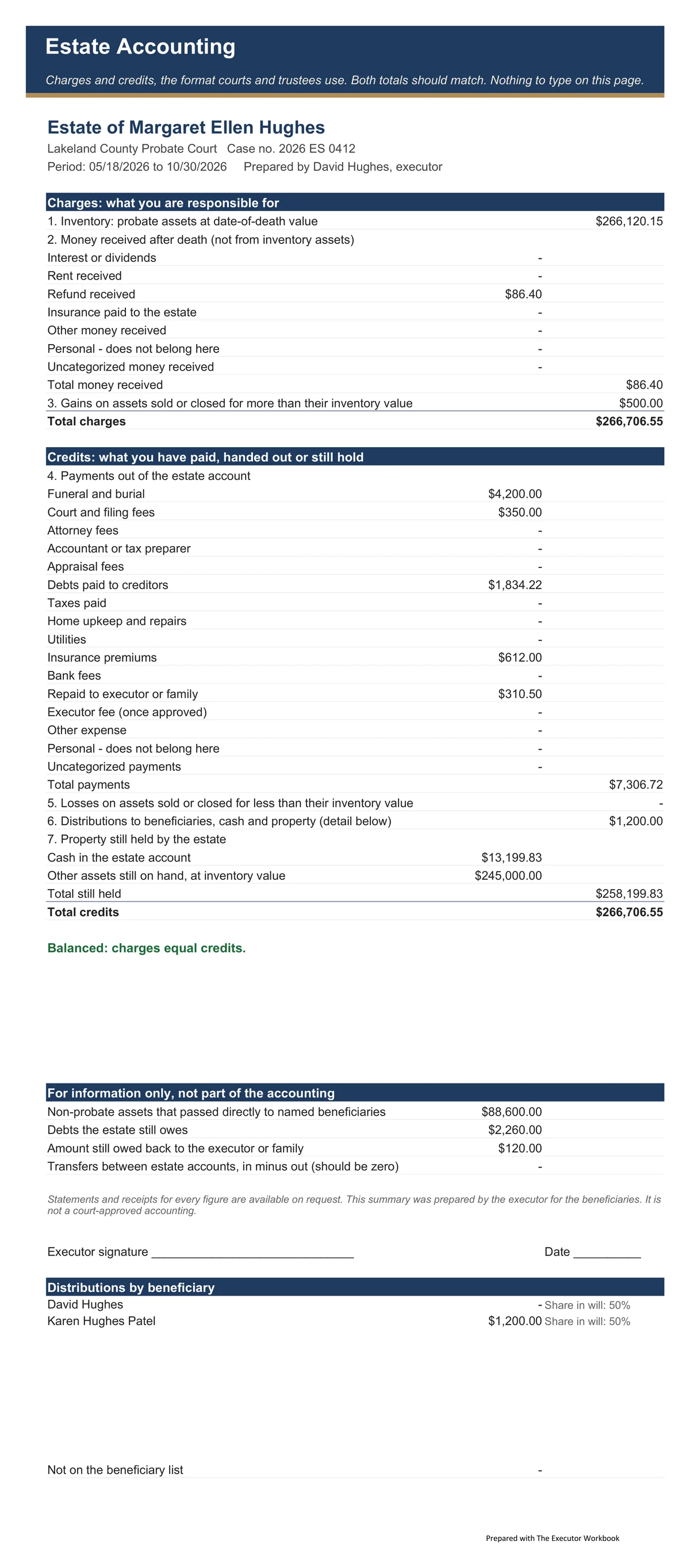
01The Balanced check
Both sides of the accounting match, and the report says Balanced.
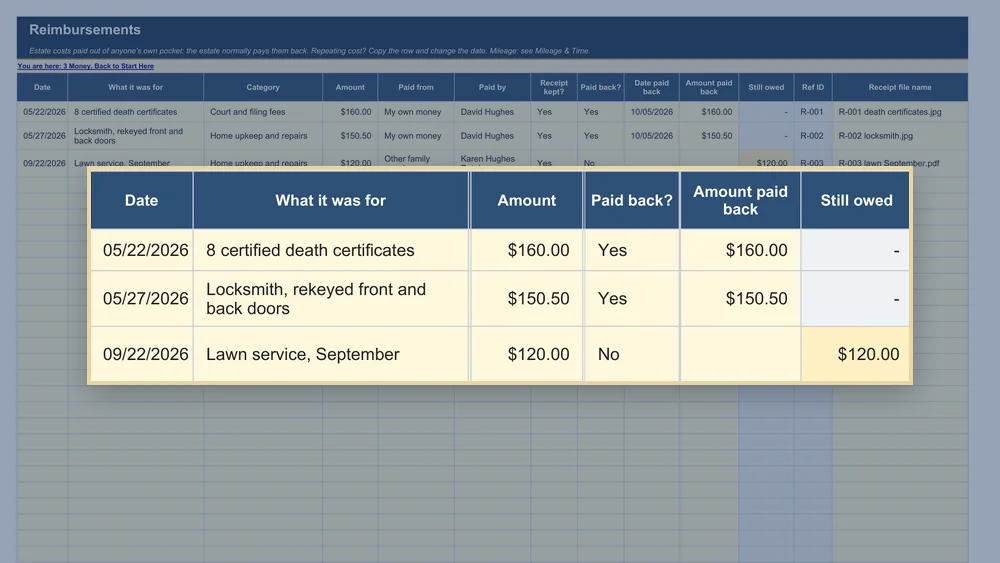
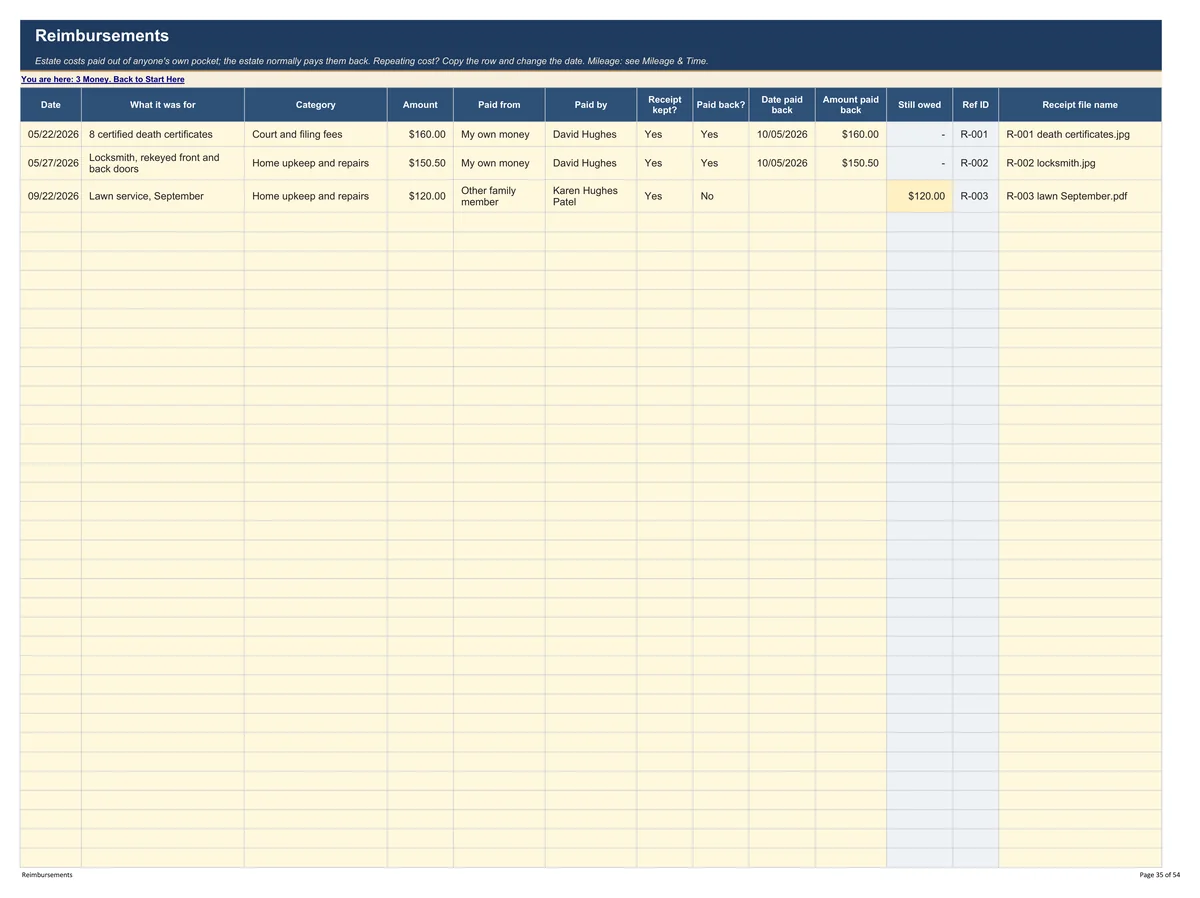
02Owed back to you
What you paid from your own pocket, what's repaid and what's still owed.
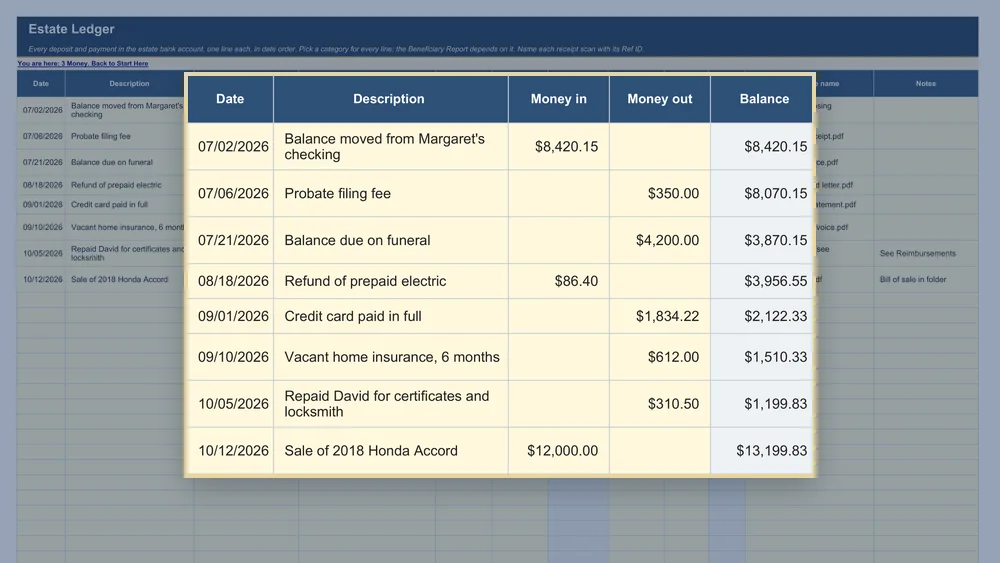
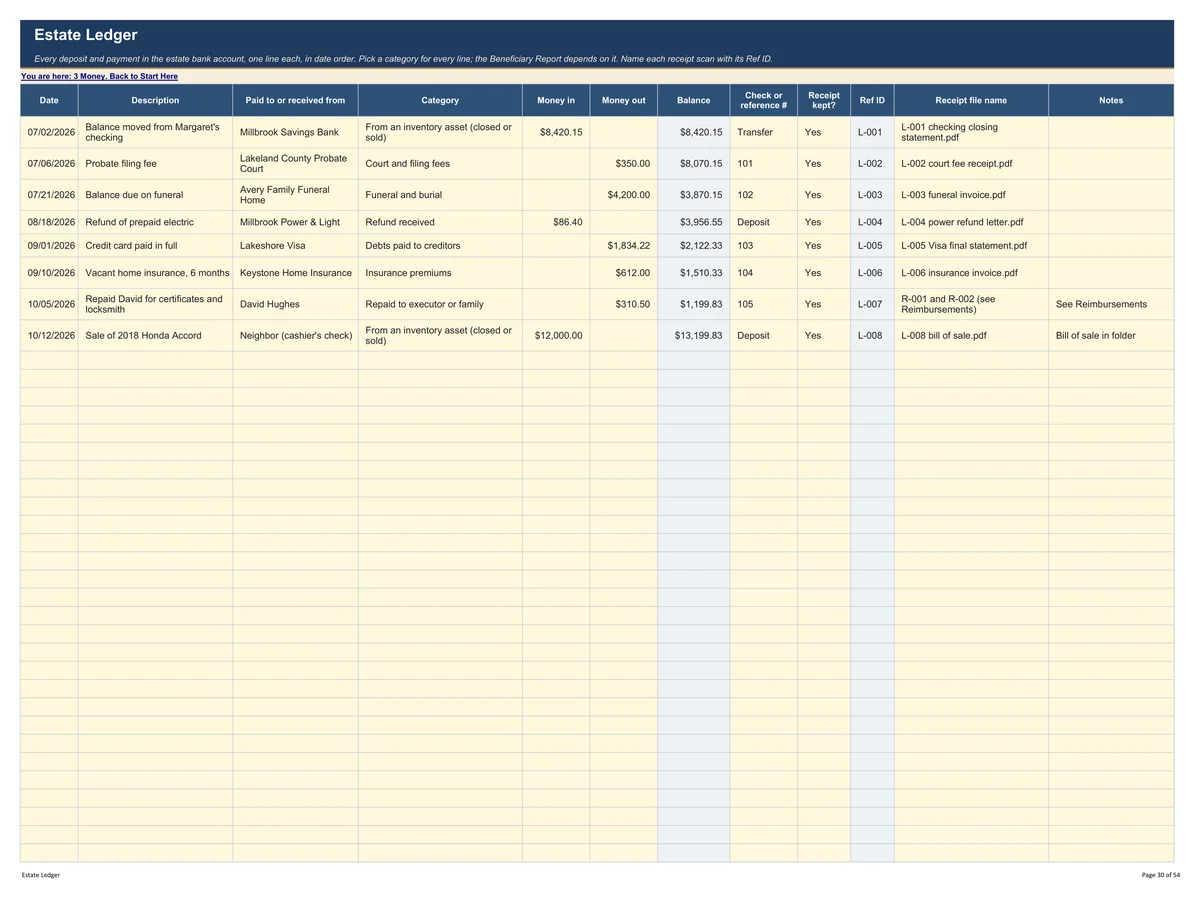
03Every dollar in and out
One line for every deposit and payment, with the running balance worked out.
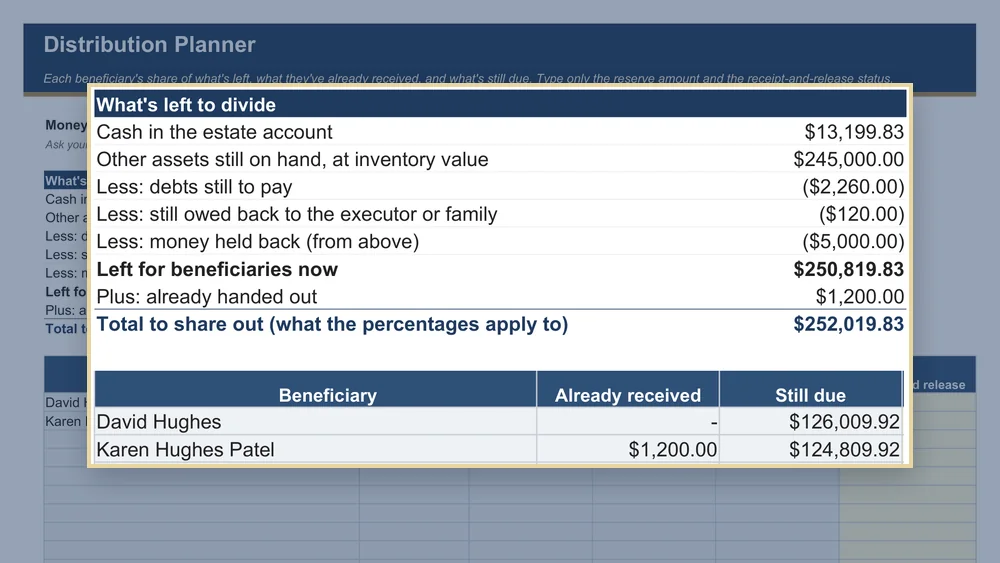
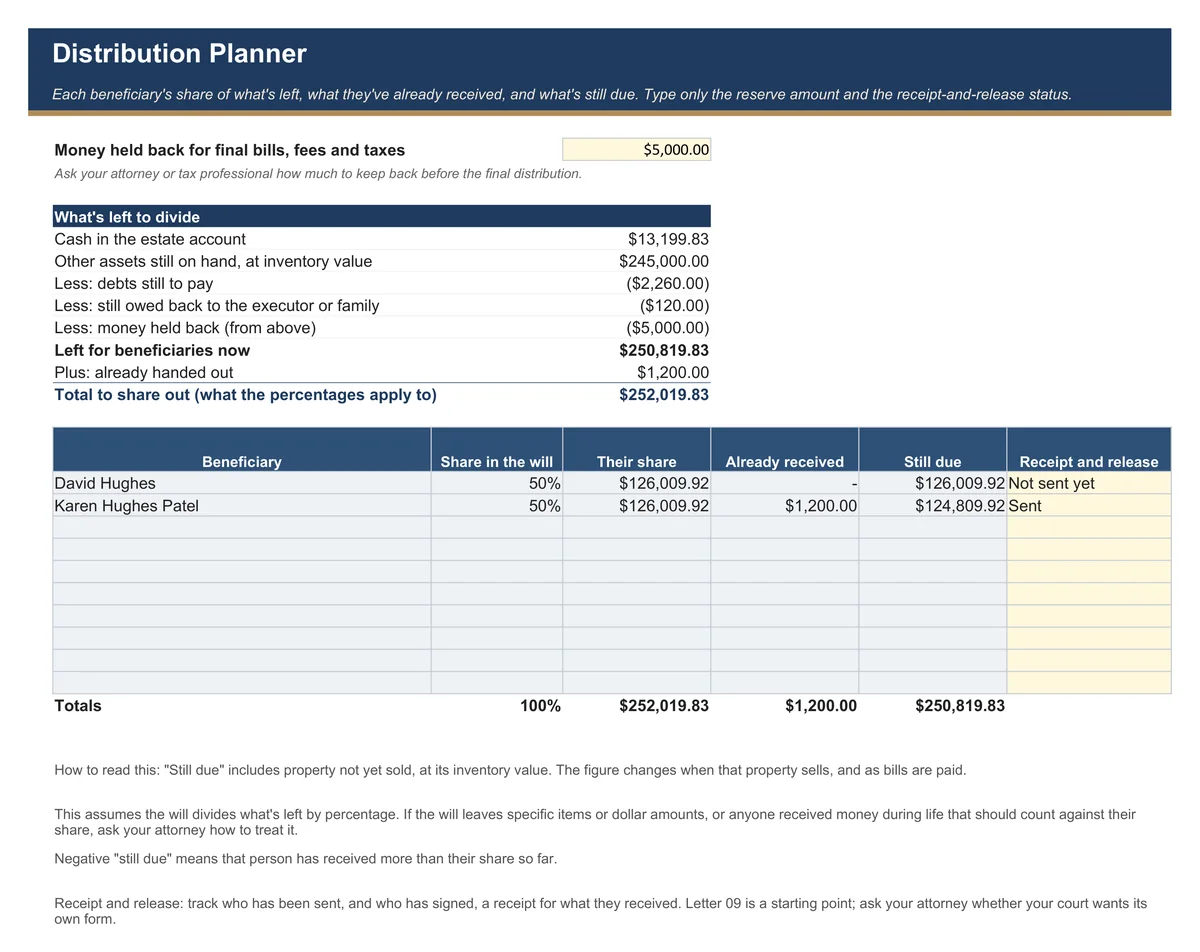
04What's left to share
Each beneficiary's share, what they've received and what's still due.
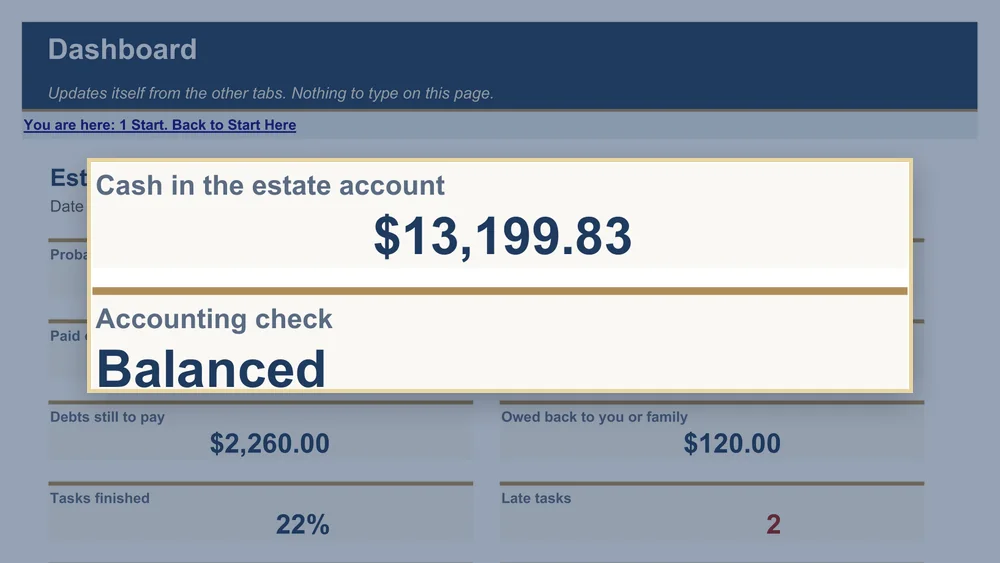
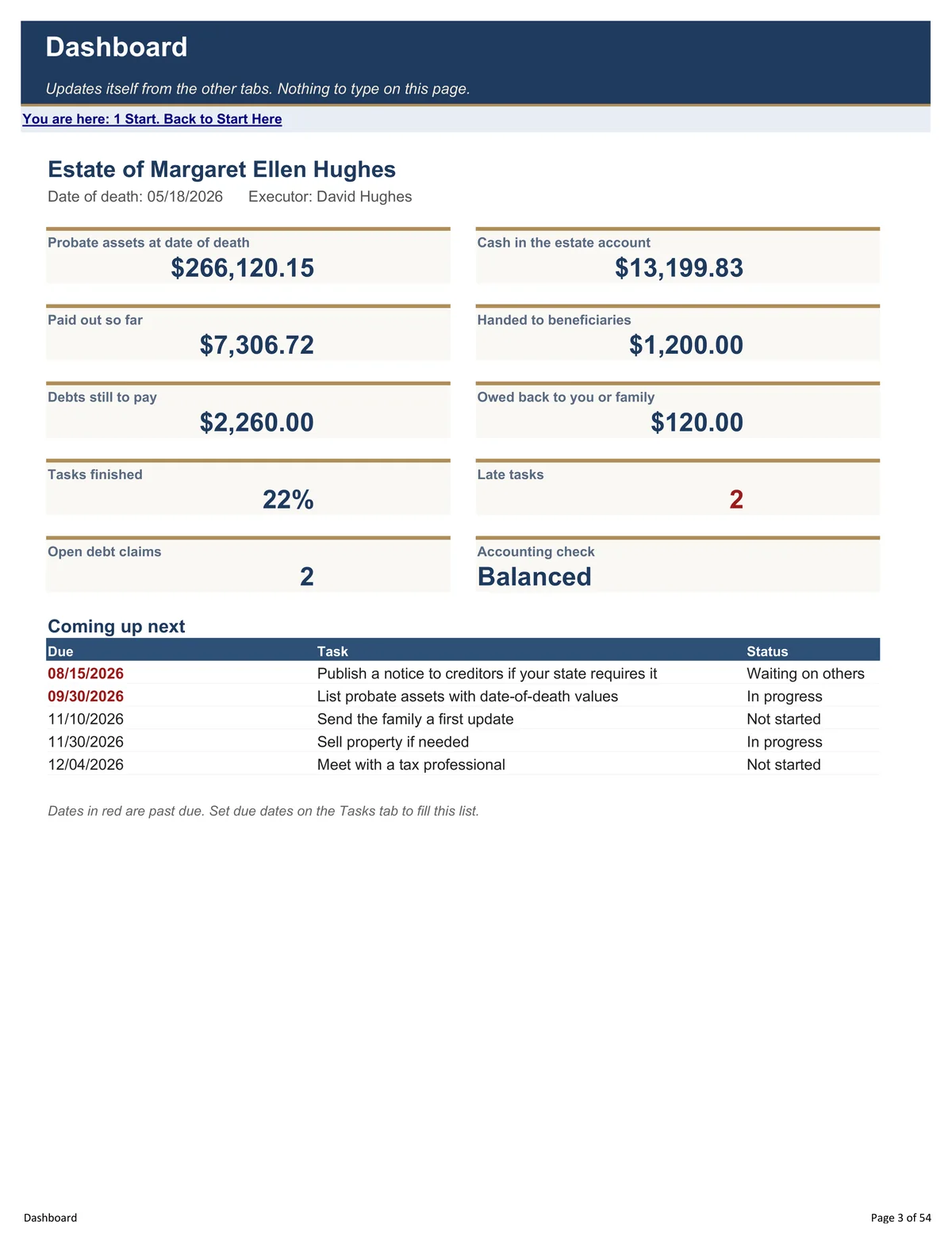
05The estate at a glance
Cash in the estate account, and the accounting check, on one screen.
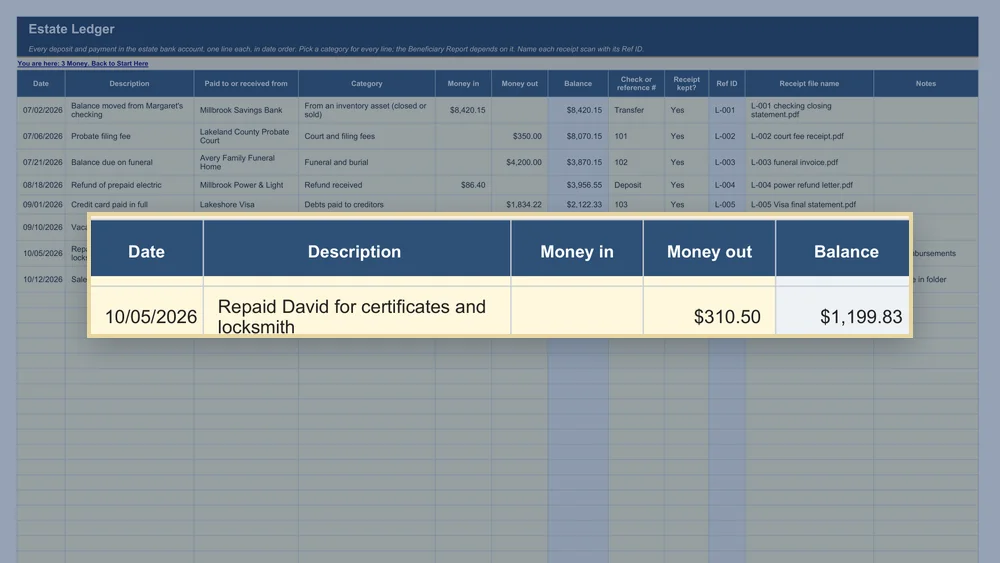
06Ref IDs on every line
L-001 in the ledger, R-001 in reimbursements, so any receipt is found in seconds.
Watch it work
A short demo with the sample estate, start to finish.
Never stuck on what to do
Paper pages, letters and guides come with it.
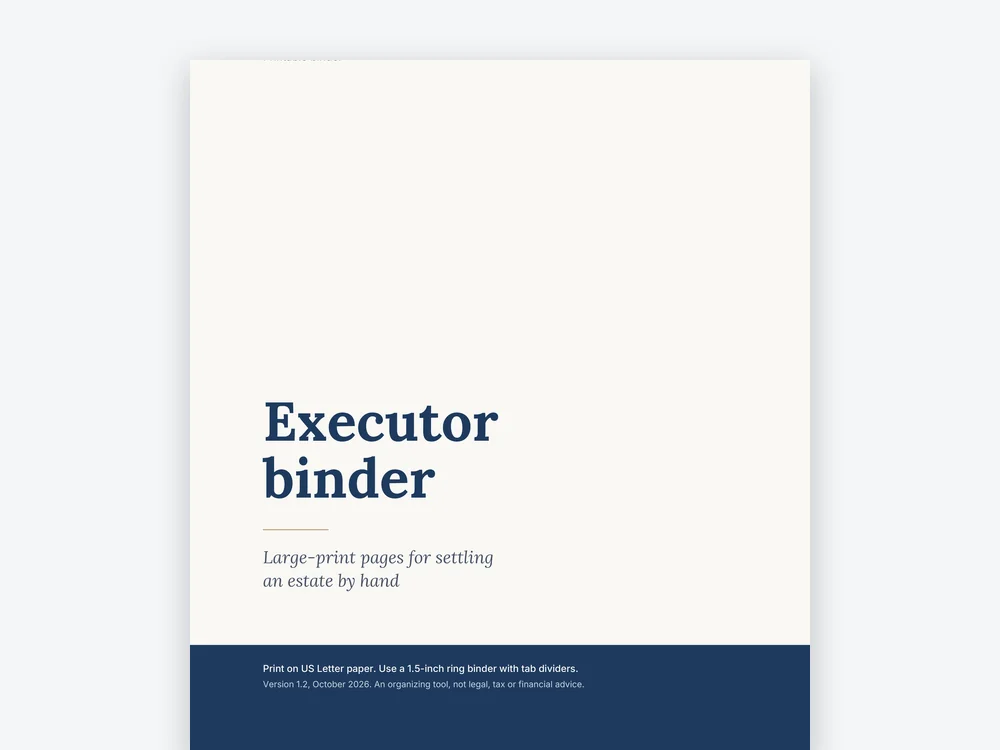 Large-print binder · 37 pages
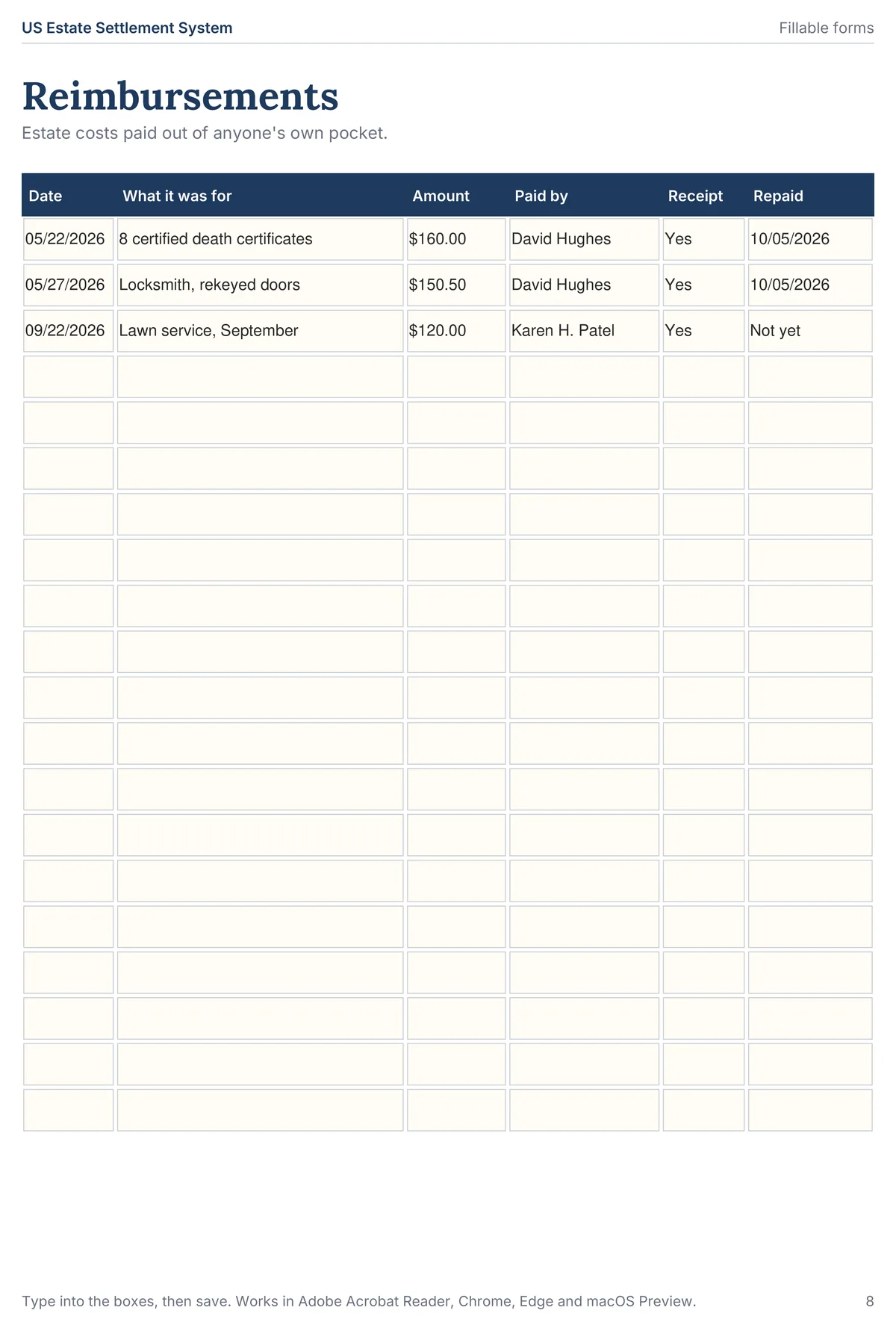
Print it, or type into it.
A large-print binder and 12 pages of fillable PDF forms.
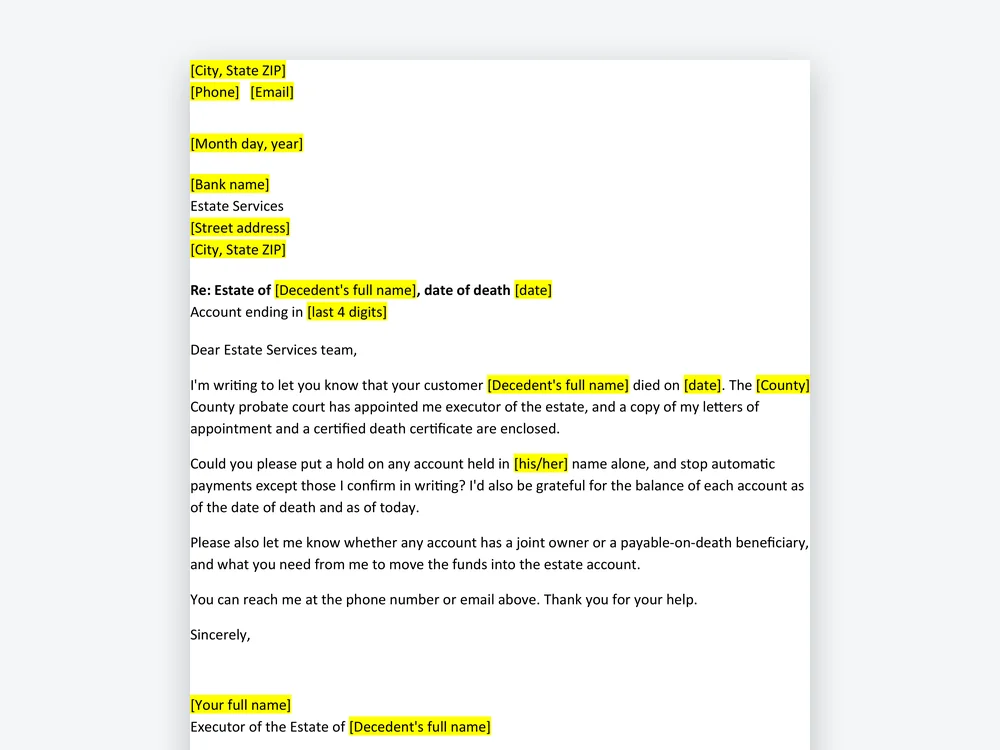 10 Word letters
Letters, ready to send.
Banks, creditors, Social Security, life insurance, utilities and more.
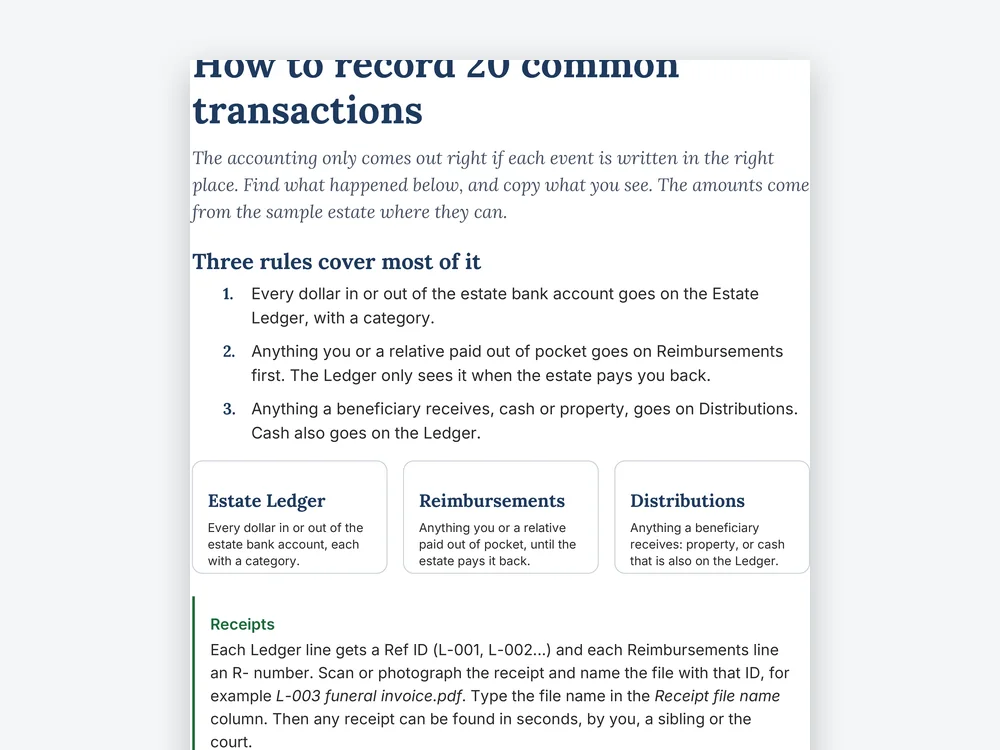 5 guides · PDF
Follow the guides.
How to Record 20 Common Transactions, the Beneficiary Report and more.
Made for a first-time executor
No account, no bank logins, nothing uploaded.
- Excel 2016 or later and Microsoft 365, on Windows and Mac
- Google Sheets, free, with a "Make a copy" link
- Excel for the web, free at office.com
- A filled sample estate to copy, line by line
- No macros, so nothing to enable
- US Letter printing, with a large-print binder
- Links to official court websites for all 50 states and DC
- Organizing tool only, not legal, tax or financial advice
A few things to know.
What exactly am I buying?
One ZIP of 24 files: the workbook (21 tabs), a filled sample estate, the Beneficiary Report, a 37-page large-print binder, 12 pages of fillable PDF forms, 10 Word letters and 5 guides.
I've never done this before.
That's who it's for. Start Here gets you going in 10 minutes, and this week you only need three tabs.
Do I need Excel?
No. Google Sheets is free, and there's a printable binder.
Does it work in my state?
It tracks what every US estate has, and links to official court websites for all 50 states and DC. It doesn't replace your court's forms, and it tells you when to check local rules.
Will the court accept the report?
Some courts require their own forms. The report uses the common charges-and-credits layout, so you can copy the numbers across. Ask the clerk.
Who is it not for?
It isn't for planning your own estate, running a trust for years, a business that keeps trading, or filling in your state's court forms. It organizes records; it doesn't give legal, tax or financial advice.
Is my information safe?
The files stay on your computer or in your own Google Drive. Nothing is sent anywhere. Use the last four digits of account numbers only, and never store passwords.
Is it a recurring charge?
No. It's a one-time payment, with free updates through your Gumroad library.
What if it doesn't work for my estate?
You can ask for a refund within 30 days, no questions asked. Write to khanrihat716@gmail.com or reply to your receipt.
Launch offer · Save 26%
Your first step.
Open Start Here tonight. Ten minutes, three tabs: Estate Profile, Tasks and Reimbursements.
Get the workbook for- One-time payment
- Instant download
- 30‑day money-back guarantee